
The link I tap on redirects me to the Store instead of lunching the game and granting the reward.
If that is happening for you, it might be due to how your device handles browser and app interactions.
Please ensure that your Messenger settings allow links to be opened in an external browser. To do so, head to the Messenger app on your phone: click the 3 lines on the top left-hand corner and then click the settings icon. Scroll down to Photos & media, and then toggle on the switch for "Open in external browser".
Step 1:
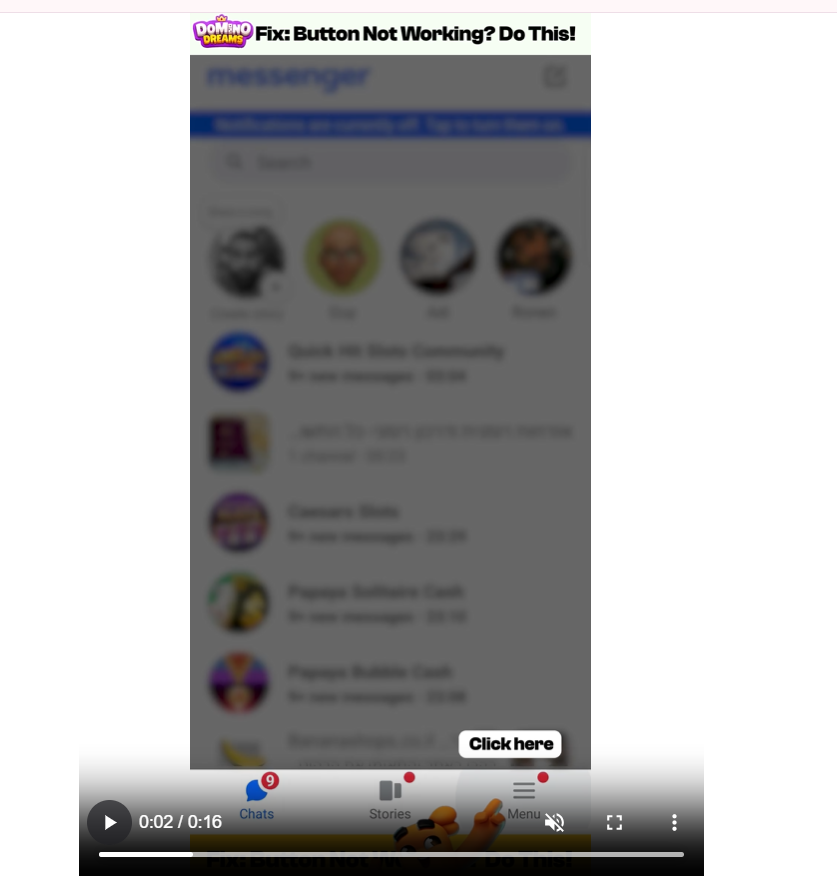
Step 2:
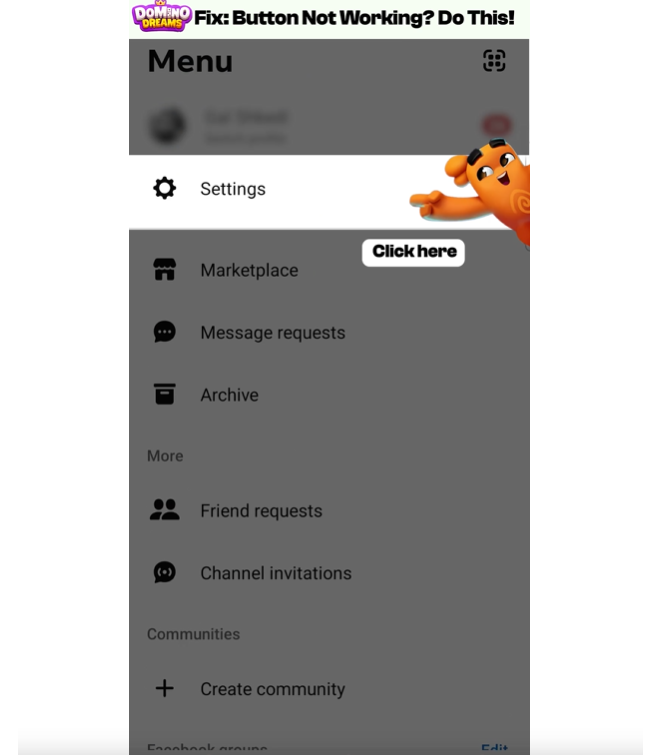
Step 3:
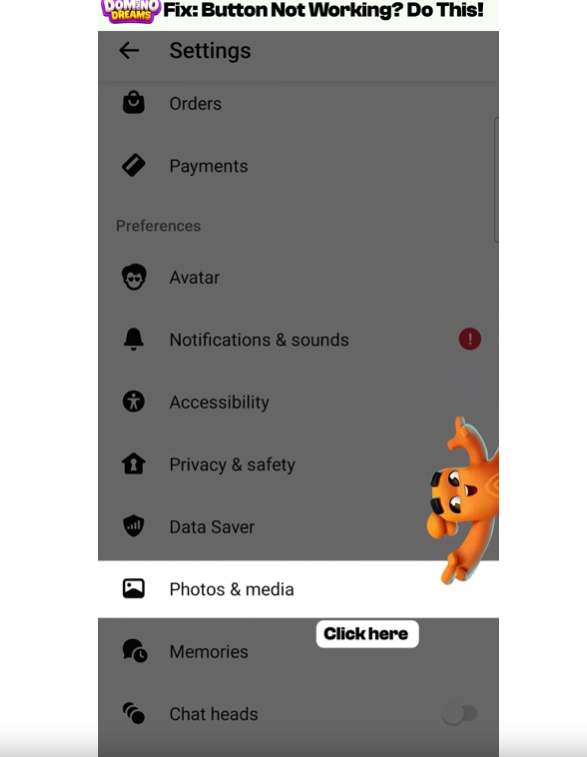
Step 4: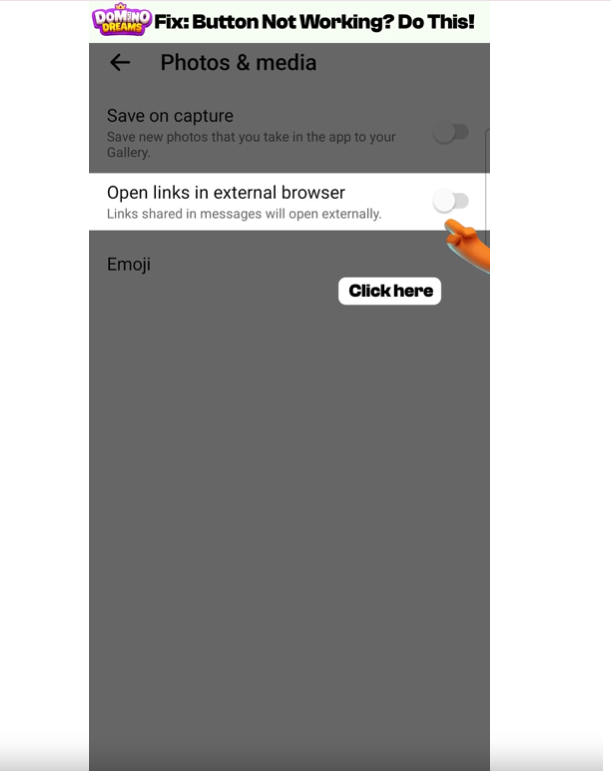
The link that I want to collect appears as expired.
Each link has a certain valability and it cannot be collected after its expiration date. Make sure to keep an eye on our Social Media pages and collect the links as soon as possible. Expired links will not generate any reward.
The link I want to collect generates an error saying 'Gift already collected'.
A link can only be claimed once. Trying to claim it more than once will generate the above message.
Still having troubles with the links? Do not hesitate to reach out to our Customer Support team. We're happy to hear from you!